
Protect Your Child: Reviewing the Best GPS Trackers for Kids in 2025
Best GPS Tracker for Kids is not just a search term for worried parents. It is a real need on busy days, crowded fields, and school trips. The right child GPS tracking device adds calm without adding stress. This guide breaks down what matters, where trade-offs hide, and how to choose a tracker that fits daily life in 2025.
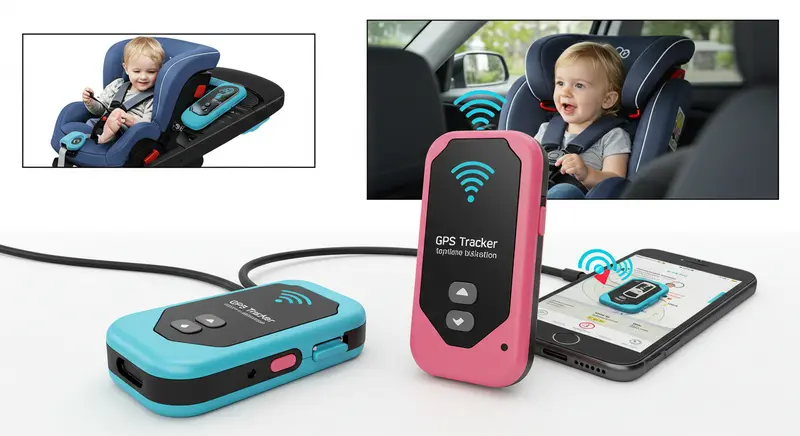
Parents want a simple setup, accurate location, and alerts that arrive on time. Kids want comfort and freedom. Good trackers meet both needs. The key is to match features to routine, not the other way around.
What Makes A Great Kids’ GPS Tracker In 2025
A strong device blends reliable hardware with smart software. Look for:
- Accurate location: GPS, Wi‑Fi, and cellular triangulation for better indoors and urban canyons.
- Fast alerts: geofences, SOS, and arrival/departure notifications that land quickly.
- Battery you can trust: a full day at minimum under normal use.
- Comfort and durability: light, water‑resistant, kid‑proof.
- Privacy and control: parent-only access, clear data practices, and two-way consent for calls or messages when present.
Tip: Real strength shows up during busy hours near schools, malls, and stadiums. That is where good devices prove their value.
How To Choose: Start With Routine
Match the device to the child’s day. Ask three simple questions:
- Where will it be worn? Wrist, clip, lanyard, or in a bag.
- How often will it be used? Daily to school, weekends only, or on trips and sports.
- What alerts matter most? Quick SOS, geofence, check-ins, or step-by-step live tracking.
A school commuter needs reliable arrival alerts and smooth battery life. A sports kid needs comfort and sturdiness. A traveler needs roaming support and global SIM options.
Core Features Parents Should Weigh
- Location tech: GPS plus Wi‑Fi improves accuracy indoors. LTE/5G gives reach but can cost more.
- Geofences: set school, home, and practice zones; choose alert sensitivity to cut false pings.
- SOS button: easy for a child to press and hard to trigger by accident.
- Call/messaging: only if wanted; some families skip voice to keep focus on location.
- History and replay: see routes and time stamps for peace of mind.
- Battery modes: standard, power-save, and live tracking bursts for crowded places.
- Water resistance: look for splash or swim ratings if needed.
- Device locks and tamper alerts: useful for clips or wrist units.
- Subscription and coverage: check plan cost, network reach, and roaming if traveling.
Real-World Case Scenario 1: The School Day
A 9-year-old walks to school and after-school care. The parent wants arrival and departure alerts, plus an SOS option.
- Fit: lightweight wrist or clip tracker with geofences for home and school, and a quiet-alert toggle during class.
- Flow: morning geofence exit alert; arrival alert at school; a gentle check-in any time the route changes; after-care and home arrival alerts.
- Why it works: simple routine support, silent school mode, and quick notifications keep the day calm.
Real-World Case Scenario 2: Tournament Weekend
An 11-year-old travels for a Saturday soccer tournament in a crowded complex.
- Fit: wrist or lanyard tracker with robust live tracking bursts, good battery, tamper alert, and SOS.
- Flow: arrive at the venue, set a temporary geofence around fields; switch to live tracking during transitions; SOS ready, but explained clearly.
- Why it works: tight venue alerts, short live tracking sessions, and a comfortable form factor reduce stress and conserve battery.
The 2025 Landscape: What’s Improved
- Better indoor location: hybrid GPS and Wi‑Fi triangulation narrows the bubble in large buildings.
- Smarter battery profiles: adaptive modes learn patterns and keep power steady.
- Cleaner apps: simpler dashboards and faster geofence setup.
- Stronger privacy: clearer data controls and parent-only access are now standard on reputable products.
- A dependable child GPS tracking device helps bridge the gap between safety and independence. It gives parents timely updates while allowing kids the freedom to move confidently through their daily routines.
Where Trade-Offs Still Exist
- Smaller size vs battery life: tiny is comfy, but battery may be shorter.
- Always-on live tracking vs useful alerts: constant tracking drains power; smart geofences extend life.
- Voice features vs simplicity: voice calls can help, but some families prefer location-only to keep focus on safety.
Comfort And Wearability: The Make-Or-Break Factor
Kids forget what is fussy. Pick:
- A wristband that is soft, adjustable, and skin-safe.
- A clip that grips clothing without damage.
- A lanyard that breaks away safely and does not bounce too much.
Try a short, at-home wear test before the first big day. Adjust positions to avoid rubbing or loose fits.
Privacy, Data, And Consent
Trackers handle sensitive information. Choose devices and apps that:
- Use encryption for data in transit and at rest.
- Offer role-based access for caregivers.
- Allow export or deletion of data on request.
- Explain clearly how location history is stored and for how long.
Talk with the child about what the tracker does and why. Involve them in setting safe zones. Trust grows when kids feel included.
Set Up Tips For A Smooth First Week
- Charge fully and update firmware before day one.
- Place the tracker near a window for initial GPS lock.
- Set 2–3 geofences only to start (home, school, after-care).
- Test alerts during a short walk together.
- Tune sensitivity if alerts feel noisy or late.
Battery Life: How To Make It Last
- Use geofences instead of continuous live tracking.
- Limit voice features if not needed.
- Pick balanced update intervals; increase only for specific events.
- Turn on power save at school and enable live tracking only during transitions.
- Charge nightly for wrist or lanyard units if used daily.
Signals, Coverage, And Travel
- Check your area’s cellular coverage before buying.
- Consider devices with multi-carrier or eSIM for better reach.
- For international travel, confirm roaming and per-country support.
- If Wi‑Fi assist is available, add known networks like home and school for improved indoor precision.
Comparing Form Factors
- Wrist tracker: best for everyday use, hardest to lose, easiest for quick SOS. Check comfort and clasp security.
- Clip tracker: flexible placement on bag or waistband; add tamper and fall-off alerts if offered.
- Lanyard tracker: good for events; choose a breakaway design and adjust length to avoid bounce.
Useful App Features To Look For
- Dynamic geofences: quickly set temporary zones for events or trips.
- Follow mode: short bursts of frequent updates when needed most.
- Quiet hours: silence non-critical alerts during class time.
- Shared access: add a second caregiver with limited permissions.
- Location history view: day timeline with easy filters.
Role-Playing The SOS
Practice calmly:
- When to press SOS.
- How long to hold it?
- What happens next, and who calls whom?
- Where to wait if separated in a crowd.
Simple scripts reduce panic and help kids remember steps under stress.
Maintenance And Care
- Clean the band weekly to prevent skin irritation.
- Check clasps and clips for wear.
- Keep a spare charging cable in a go-bag.
- Review app settings monthly; kids’ routines change.
Setting Expectations: What A Tracker Can and Cannot Do
Can:
- Provide the location with useful accuracy.
- Send alerts when leaving or entering set zones.
- Offer a quick way to ask for help.
Cannot:
- Replace adult supervision.
- Guarantee the exact location in every building or tunnel.
- Solve every delay caused by network congestion.
It is a tool for peace of mind, not a substitute for communication and planning.
The Best GPS Tracker For Kids Is The One That Fits Your Life
Best does not mean most features. Best means right fit.
- Daily school commute: comfortable wrist unit, geofences, strong battery.
- Sports and events: robust build, quick follow mode, tamper alert.
- Travel: wide coverage, roaming-ready, simple app for temporary zones.
Buying Checklist: Make A Confident Choice
- Form factor your child will actually wear.
- GPS + Wi‑Fi location and modern cellular (LTE/5G) support.
- Geofences, SOS, and history with readable timelines.
- Battery life that matches routine.
- Clear subscription terms and coverage map.
- Strong privacy controls and parent-only access.
- An app that is simple enough to use under pressure.
Case Scenario 3: Split Caregivers, Busy Week
Two parents share school runs and activities on alternating days.
- Fit: shared app access with separate logins, simple zone management, and reliable arrival alerts.
- Flow: both get notified for school and after-care; temporary geofence for piano practice; follow mode for the walk home when it is getting dark.
- Why it works: predictable alerts and shared visibility keep handoffs smooth.
Troubleshooting Common Issues
- Late alerts: reduce the geofence radius slightly and check phone notification settings.
- Battery drain: lower update frequency and reduce live tracking outside transitions.
- Inaccurate indoor location: ensure Wi‑Fi assist is on and add known networks when possible.
- Missed SOS: recheck button hold time and practice again; verify caregiver phone permissions.
How Spy Spot Thinks About Kid Safety
Spy Spot emphasizes real-life reliability: accurate location, fast alerts, and straightforward apps that caregivers can use on the go. The focus is on comfort, privacy, and support, which makes the first week easy and the next week calmer.
Conclusion
Best GPS Tracker for Kids is about fit, not flash. Start with routine, choose a child GPS tracking device that the kid will actually wear, and set just a few smart zones. Keep alerts meaningful, practice the SOS calmly, and tune settings after the first week. With a good plan and a reliable device, parents get the peace of mind they want, and kids keep the freedom they need.
